
Dr. Driving
Drive better master skills for all drivers
Screenshots
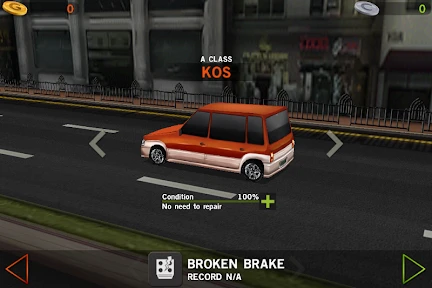
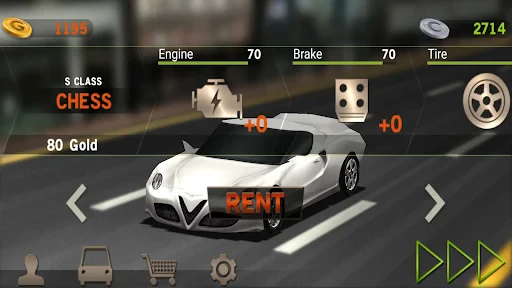
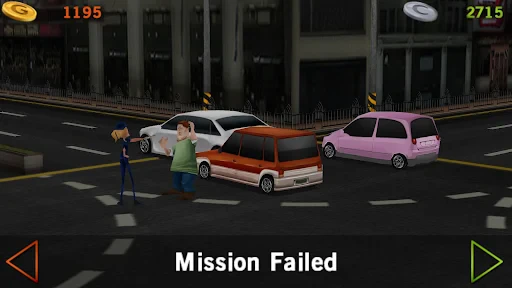
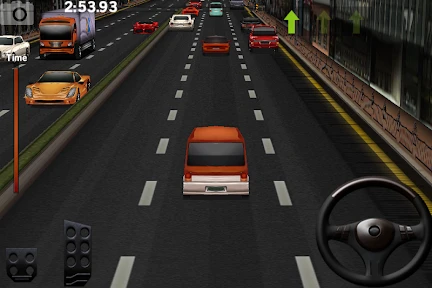
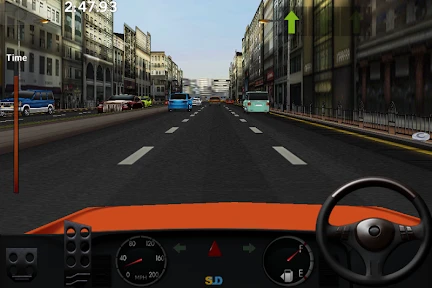
Dr. Driving: A Refreshing Take on Mobile Racing Games
If you’re in the mood for a virtual driving experience that skips the hardcore simulation details, Dr. Driving could be your perfect match. This clever little game, which you can grab on Android and iOS, puts a unique spin on the usual racing genre. It’s not all about pure speed and thrills; instead, it tests your actual driving skills. That’s right! So get ready, and let’s explore what makes this app a great pick for any mobile gamer.
Getting Started with the Controls
First up, let's discuss how the game plays. Dr. Driving isn't your typical race-to-win game. The focus is on navigating through city traffic, following traffic lights, and becoming a parking pro. A simple tutorial kicks things off, introducing you to the controls. And they feel great! You tilt your device to steer, while on-screen buttons take care of the gas and brakes. It’s super user-friendly and easy to learn, even if you don’t play games often.
Tackling the Game's Missions
The game really stands out with its mission-based setup. Rather than just driving laps, you get different goals like beating the clock, tricky parking tasks, or driving efficiently. I love the parking missions the most. They seriously challenge your accuracy, and it feels incredibly rewarding when you slide into that spot perfectly!
What also makes it fun is the multiplayer feature. You can go head-to-head with friends or other players live, which brings a competitive thrill to your driving adventures. It’s great to see how you measure up against others, and it keeps the gameplay exciting.
A Look at the Graphics and Music
Now, onto the visuals. Dr. Driving doesn’t have super realistic graphics, but it has a neat and appealing style. The settings are vibrant and colorful, making the whole experience quite pleasant. The cars are well-designed, and you can even customize their look with different paint jobs.
The music is another strong point. It’s lively and fun, matching the game's relaxed feel perfectly. Sound effects, like engine revs and car horns, also help pull you into the game world.
Wrapping Up the Experience
To sum it up, Dr. Driving is a wonderful change from the fast-paced racers that are everywhere on mobile. It’s ideal for players who enjoy the finer points of driving and like a challenge that isn't just about going fast. Whether you want to pass the time or sharpen your virtual driving techniques, this game is definitely worth trying. So, why not take it for a test drive? You might just get captivated by its special appeal
Advantages
- Smooth and realistic driving experience
- Wide variety of levels and challenges
- Easy to learn controls
- Compact size
- minimal storage needed
Disadvantages
- Graphics are a bit outdated
- Limited car customization options
- Ads can be intrusive at times
- Requires internet for some features
- No multiplayer mode available
Frequently Asked Questions
Q: What is Dr. Driving and how does it differ from other driving games?
A: Dr. Driving is a driving simulation game that offers a realistic driving experience compared to other arcade-style driving games. Unlike traditional racing games, Dr. Driving focuses on driving skills such as parking, fuel management, and navigating through traffic. The game emphasizes precision and control rather than speed, providing a unique challenge for players who enjoy strategic gameplay.
Q: What are the system requirements to play Dr. Driving on Android and iOS?
A: Dr. Driving is designed to run smoothly on most modern devices. For Android users, the game requires Android version 4.0.3 or higher, while iOS users need iOS 7.0 or later. It is compatible with both smartphones and tablets, ensuring a wide range of accessibility. Nevertheless, for optimal performance, it is recommended to have a device with at least 1GB of RAM and a stable internet connection for multiplayer features.
Q: Are there any in-app purchases or ads in Dr. Driving?
A: Yes, Dr. Driving includes both in-app purchases and advertisements. Players can purchase in-game currency to unlock additional cars and upgrades, which can enhance the gameplay experience. While the game is free to download and play, ads are displayed intermittently. These can be removed through a one-time payment, allowing for an uninterrupted gaming experience.
Q: Can Dr. Driving be played offline?
A: Dr. Driving offers both online and offline gameplay options. While players can enjoy the single-player mode without an internet connection, certain features, such as multiplayer mode and leaderboards, require an online connection. This flexibility allows players to enjoy the game anytime, whether they are connected to the internet or not.
Q: How does the multiplayer feature in Dr. Driving work?
A: The multiplayer feature in Dr. Driving allows players to compete against friends or other users worldwide. This mode requires an internet connection and lets players challenge each other in various driving scenarios. The game uses a matchmaking system to pair players of similar skill levels, ensuring a balanced and competitive experience. Players can also track their progress and compare scores on global leaderboards.
Technical Information
Recommended for You

Munchkin

Sandbox In Space

Hangman

The Sims™ FreePlay

Millionaire - Quiz & Trivia

Truck Simulator: Frontline

Bingo Voyage - Live Bingo Game

FableAI - Endless RPG

Turf War - Skeleton Warzone

Phone Case DIY

Mini Block Craft Realm Craft

Archero 2

Guess the Songs, Quiz

Paper Doll Diary: Dress Up DIY

Asphalt Xtreme

Last War:Survival Game

Little Panda's Ice Cream Games

Five Nights at Freddy's: SL

Conquer Countries

Hunting Clash: Sniper Shooting

Sudoku

Music Scary Beat Box

The Jackbox Party Pack 10
