
StbEmu (Pro)
Premium STB TV streaming for enthusiasts
Screenshots
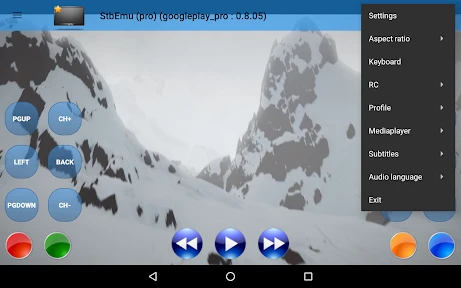
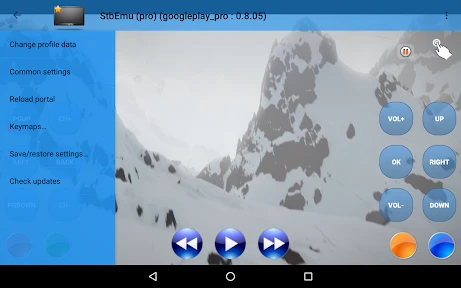
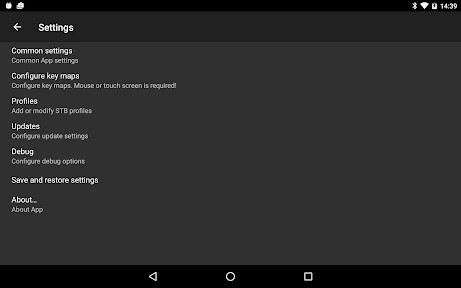
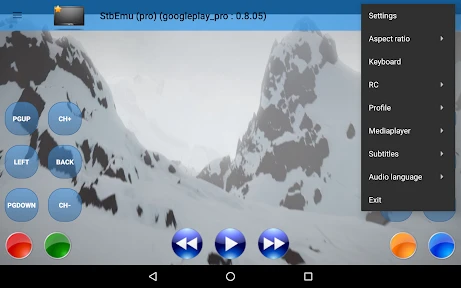
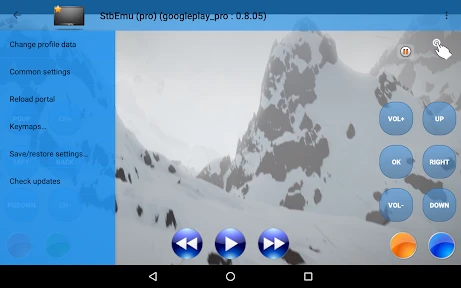
Transform Your Android into an IPTV Powerhouse with StbEmu (Pro)
If you've been searching for an app to turn your Android device into a complete IPTV setup, then StbEmu (Pro) could be the perfect find. I've tried my fair share of IPTV apps, and this one really stands out, especially if you're the type who loves to get into the settings and make things your own.
Setting Up: A Breeze or a Challenge?
Getting StbEmu (Pro) up and running can be a bit like putting together furniture without the instructions—it's rewarding but a little tricky at first. Once you figure it out, you'll love the control it gives you. The app is designed to look and feel like a MAG set-top box, which is a common device for IPTV. You'll need to have your portal details and MAC address handy to get started. It's not the simplest app to set up, but the ability to customize everything is a huge payoff.
The Look: It’s All About Function Over Flair
Let's be honest, the interface isn't going to win any design awards. But what it lacks in flashy graphics, it more than makes up for in pure usefulness. The layout is simple and gets straight to the point, putting all the focus on your content. If you prefer a no-fuss, practical approach, you'll feel right at home.
Handy Features That Make a Difference
StbEmu (Pro) is loaded with features that make watching TV a breeze. It has an EPG (Electronic Program Guide), so you can see what's on across all your channels, just like with traditional cable. You can even customize the on-screen remote control, which is great for tailoring the experience to how you watch.
A really useful feature is the support for multiple profiles. This lets you create separate setups for different people or even different IPTV services, which is perfect for families or anyone sharing a device.
How Well Does It Actually Run?
When it comes to performance, StbEmu (Pro) usually provides a smooth stream with very little buffering, as long as your internet connection is solid. I've used it on both Wi-Fi and mobile data; Wi-Fi is definitely better, but it works surprisingly well on the go too. Just remember, your experience will always depend on your network.
One thing to keep in mind is that this app can be a bit of a resource hog. It uses a good amount of your phone's memory, so you'll want a reasonably powerful device to avoid it feeling slow.
The Bottom Line: Should You Get It?
So, is StbEmu (Pro) worth buying? If you're an IPTV fan who doesn't mind a learning curve and loves having total control, then yes, absolutely. It's a powerful app that can truly turn your Android device into a serious streaming machine.
But, if you want something that works right out of the box with minimal setup, you might want to look at other options. For the tinkerers who love customization, however, StbEmu (Pro) is an excellent choice that gives you a lot for your money.
In the end, it comes down to your personal preference. If control and customization are what you're after, give StbEmu (Pro) a try. You might discover it's the perfect solution you've been looking for.
Advantages
- Supports multiple IPTV services.
- User-friendly interface.
- Customizable settings.
- Regular updates.
- High compatibility with devices.
Disadvantages
- Requires technical knowledge.
- Subscription needed for full features.
- Occasional streaming lag.
- Limited customer support.
- Complex setup for beginners.
Frequently Asked Questions
Q: What is StbEmu (Pro) and what does it do?
A: StbEmu (Pro) is an advanced IPTV application designed for Android devices, which emulates the functionality of a set-top box (STB). It allows users to stream live TV channels, access video-on-demand content, and utilize other IPTV services. This app is particularly popular among users who want to turn their Android devices into a virtual set-top box, providing a seamless viewing experience.
Q: Is StbEmu (Pro) user-friendly for beginners?
A: StbEmu (Pro) is designed with both novice and experienced users in mind. However, beginners might find the initial setup process a bit complex, as it requires configuration with IPTV portal URLs and other technical details. Thankfully, there are numerous guides and tutorials available online that can help users through the setup process, making it more accessible for everyone.
Q: What are the key features of StbEmu (Pro)?
A: StbEmu (Pro) offers a range of features including support for multiple IPTV portals, the ability to customize the user interface, and advanced video and audio playback settings. It also supports electronic program guides (EPG), video on demand (VOD), and catch-up TV, providing a comprehensive IPTV viewing experience. These features make it a versatile choice for IPTV enthusiasts.
Q: Does StbEmu (Pro) support all Android devices?
A: StbEmu (Pro) is compatible with most Android devices, including smartphones, tablets, and Android TV boxes. However, the performance may vary depending on the device's hardware and software specifications. It is recommended to use a device with sufficient processing power and memory to ensure smooth streaming and optimal performance of the application.
Q: Is there a free version of StbEmu available?
A: Yes, there is a free version of StbEmu available, which provides basic functionality for users who want to try out the app before purchasing the Pro version. The Pro version offers additional features and a more refined user experience without advertisements, making it a preferred choice for users who are serious about IPTV streaming.
Technical Information
Recommended for You

Animagic: Anime Art Generator

The Dyrt: RV & Free Camping

Lalatoon - Comics & Webtoon

Hangouts

Cinehut

Noticias Caracol

Guitar Tuner Pro: Music Tuning

Guitar Tuner Simple Pro

Islamic Songs & Nasheed 2025

Dave - Fast Cash & Banking

All Email Connect

Mister Car Wash

WASticker-Sticker for WhatsApp

Securus Mobile

Legacy Academy – Learn Success

Live Earth Map: GPS Navigation

Woot! Deals and Shenanigans

CVS Specialty

Cryptoguru: Trading Simulator

T.J.Maxx

PDF Reader Zone

Tarnished Checklist Premium

Cortes de Pelo Hombre 2024
