
FreeTone Calls & Texting
Free Phone Number For Calls And Texts
Screenshots


FreeTone Calls & Texting
FreeTone Calls & Texting app is a nifty little tool that lets you make free calls and send texts without any fuss. Available on both Android and iOS, it's designed for folks who want to stay connected but don't want to burn through their mobile minutes or text allowances. Trust me, if you're someone who likes to chat a lot, this app could be your new best friend.
Getting Your FreeTone App Up and Running
First things first, downloading and setting up FreeTone is a breeze. Just head over to your app store, search for FreeTone, and hit that download button. Once it's installed, you'll be prompted to sign up or log in. You can either create a new account or conveniently log in using your Facebook or Google accounts. I went the Google route, and I was in within seconds.
What Makes This App So Special
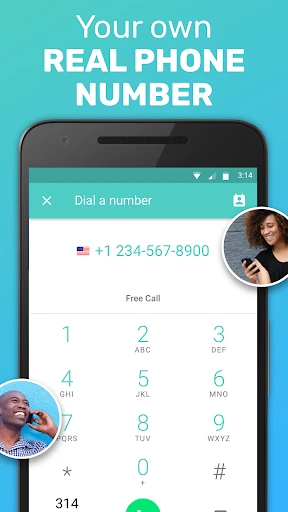
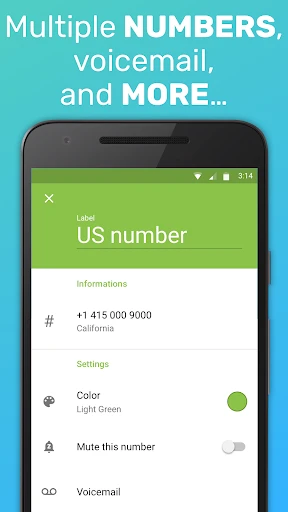
What really sets FreeTone apart from its competitors is its ability to provide free phone numbers. Yes, you heard that right! You can get a new number for texting and calling without spending a dime. This is super handy if you're like me and prefer keeping your personal number private while still being reachable.
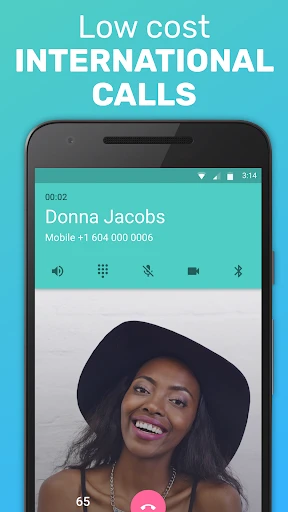
The app also offers unlimited free texts to the US and Canada, which is a big plus. As for calls, you can call any number in the US and Canada for free. If you need to call internationally, you can either watch a few ads to earn credits or purchase them directly in-app. Not the worst trade-off if you ask me.
Navigating the App Day-to-Day
Navigating through FreeTone is pretty straightforward. The interface is clean, and everything is where you'd expect it to be. From setting your ringtones to managing your contacts, the app makes it easy to customize your experience. I found the call quality to be surprisingly good, especially considering it's a free app. Texts were instant, and I didn't encounter any glitches during my testing.
A Few Pointers for a Better Experience
Here’s a little tip for you: make sure to customize your notification settings. By default, the app sends quite a few notifications, which might be a tad annoying. Tweak these settings to suit your preference and you'll have a much smoother experience.
Also, keep an eye on your credits if you're planning to make international calls. Watching ads for credits can be a bit tedious, but it's a good way to make those important calls without spending money.
Wrapping Up the FreeTone Review
All in all, FreeTone Calls & Texting is a solid choice if you're looking for a free alternative for calls and texts. It's user-friendly, packed with useful features, and doesn’t skimp on quality. While the ads might be a bit of a nuisance, they’re a small price to pay for what you get in return.
So, if you're tired of racking up your phone bill or just need an extra number for whatever reason, give FreeTone a shot. It’s definitely worth checking out
Advantages
- Free international calls and texts.
- User-friendly interface.
- Quality sound and video calls.
- No hidden fees or charges.
- Compatible with both Android and iOS.
Disadvantages
- Requires internet connection.
- Ads can be intrusive.
- Limited features in free version.
- Occasional call drops.
- Privacy concerns with contacts access.
Frequently Asked Questions
Q: What is FreeTone Calls & Texting, and how does it work?
A: FreeTone Calls & Texting is a mobile application that allows users to make free calls and send text messages using Wi-Fi or mobile data. It provides users with a real phone number for calling or texting, even to numbers that do not have the app installed. This makes it an ideal choice for staying connected without consuming your cellular minutes or incurring extra charges.
Q: Is FreeTone Calls & Texting really free to use?
A: Yes, FreeTone Calls & Texting is free to download and use. It allows users to send unlimited texts and make calls to the US and Canada for free. However, there might be costs associated with international calls or premium features, so users should review the in-app purchases and subscription options if they plan to use these services.
Q: What devices are compatible with FreeTone Calls & Texting?
A: FreeTone Calls & Texting is compatible with both Android and iOS devices. Users can download the app from Google Play Store for Android devices and the Apple App Store for iOS devices. It runs smoothly on most smartphones and tablets, but it's always a good idea to check the specific system requirements on the app’s download page to ensure compatibility.
Q: Do I need an internet connection to use FreeTone Calls & Texting?
A: Yes, an internet connection is required to use FreeTone Calls & Texting. The app operates using Wi-Fi or mobile data to facilitate calls and texts. This means users can avoid using their cellular minutes, but they need to ensure a stable internet connection for the best performance and quality of service.
Q: How secure is FreeTone Calls & Texting in terms of privacy?
A: FreeTone Calls & Texting takes user privacy seriously. It employs standard security measures to protect users' data and conversations. However, as with any app, it is important for users to read the privacy policy and understand what data is collected and how it is used. Taking additional measures, such as enabling security features on your device, can further enhance your privacy.
Technical Information
Recommended for You

Binance: Buy Bitcoin & Crypto

B9: Cash Advance・Banking・Earn

T-Mobile® FamilyMode™

Satellite Tracker: Dish Finder

Voice Changer & Sound Effects

DeepSkyCamera Pro

Bible en français courant

MyQuest for Patients

FIXD OBD2 Scanner

Weather Chart: Tomorrow, Today

1DM+: Browser & Video Download

NBC Sports

Drum Pad Machine - beat maker

Shopify Point of Sale (POS)

La Biblia en Español

LEGO® Builder

Michaels Stores

ABC7 Chicago

Gamu: Emulator Console Game

Animal Ringtones

Houseparty

Picky - Beauty Community

Perfect Piano
