
IFTTT - Automate work and home
Automate your apps and devices for you
Screenshots

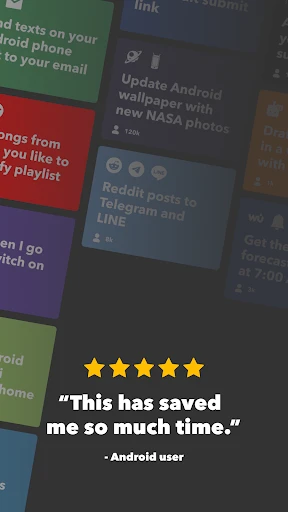
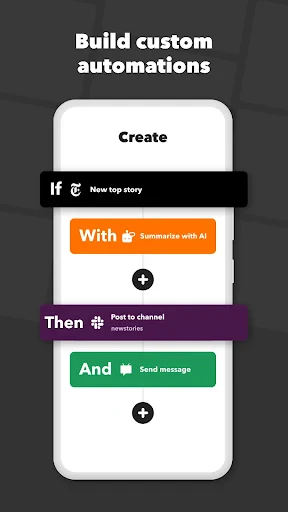
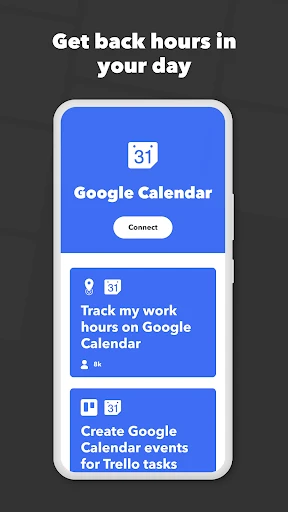

Ever wished your apps could talk to each other and make life a little bit easier? Well, that's exactly what IFTTT (If This Then That) is all about! Let me take you on a quick tour of this nifty little app that's all about automating your digital world. Whether you're looking to streamline your work or make your home smarter, IFTTT is like having a personal assistant in your pocket.
Your First Look at IFTTT
The app greets you with a simple and clean layout that's super easy to figure out. You don't need to be a tech expert to get the hang of it. I thought creating my first "applets"—which are just the automated tasks—was really straightforward. All you do is choose a trigger (the "if this" part) and then pick what happens next (the "then that" part).
Easy Automation for Everyday Life
A huge plus is the massive selection of apps and gadgets you can link up. With support for over 600 different services, from Twitter and Instagram to smart home gear like Philips Hue lights and Nest thermostats, the options are vast. My favorite setup is having my lights switch on as I approach my house. It’s a small thing that makes everyday life feel a bit more futuristic!
A World of Customization
The real beauty of IFTTT is how flexible it is. You can automatically save new photos to your cloud storage, get an alert if rain is forecasted, or even get a nudge to stay hydrated throughout the day. You can either search for existing applets or build your own from scratch. The app is also great at showing you popular ideas to spark your creativity.
Helpful People and Resources
I also really liked the sense of community. People share their own applets, and there's a solid help section if you hit a snag. The community is lively, and it's cool to discover the clever automations others have built. If you need direct help, the support team is quick to respond and very helpful.
To sum it up, IFTTT is a fantastic tool for anyone looking to automate their digital life. It’s like having a magic wand that connects your favorite apps and devices, making them work together seamlessly. Whether you're a busy professional or someone who just loves tech, this app is definitely worth checking out.
So, if you’re ready to take the plunge into automation, give IFTTT a try. You might just find yourself wondering how you ever lived without it!
Advantages
- User-friendly interface.
- Wide range of app integrations.
- Versatile automation options.
- Regular updates and improvements.
- Free version available.
Disadvantages
- Limited features in free version.
- Occasional connection issues.
- Some apps require premium.
- Complex setup for beginners.
- Notifications can be delayed.
Frequently Asked Questions
Q: What is IFTTT and how does it work?
A: IFTTT, short for "If This Then That," is an automation app that connects various apps, services, and devices to work together through "applets." Users can create custom applets or use pre-made ones to automate tasks and enhance productivity at home or work. For example, you can automate sending a weather update to your calendar daily or turn on smart lights when you get home.
Q: Is IFTTT free to use, or does it require a subscription?
A: IFTTT offers a free version that allows users to create and use a limited number of applets. However, for those wanting more advanced features, such as creating an unlimited number of applets or accessing premium applets, a subscription plan called IFTTT Pro is available. The Pro plan includes enhanced performance and additional functionalities.
Q: Which devices and services are compatible with IFTTT?
A: IFTTT supports a wide range of devices and services. It works with popular smart home devices like Amazon Alexa, Google Assistant, Philips Hue, and SmartThings, as well as apps and services like Twitter, Dropbox, and Spotify. This versatility allows users to create automation across different platforms and gadgets seamlessly.
Q: How secure is IFTTT when it comes to personal data?
A: IFTTT prioritizes user privacy and data security. The app requires minimal permissions and only accesses necessary data to execute applets. IFTTT employs encryption protocols to protect user data in transit and at rest. However, as with any app that connects multiple services, users should review each service's privacy policy and security measures.
Q: Can I create my own applets, and is it difficult?
A: Creating custom applets on IFTTT is user-friendly and doesn't require programming knowledge. Users can start by selecting a trigger (the "If This" part) and then choose an action (the "Then That" part) from a wide array of services. The app provides a step-by-step interface, making it easy for users to design personalized automations according to their needs.
Technical Information
Recommended for You

CCleaner – Phone Cleaner

Best Western To Go

Tinybeans Private Family Album

Live Earth Cam - Street View

Shopkick: Gift Cards & Rewards

Hard Rock Bet: Betting, Casino

QR Code Reader: QR Code Maker

HoYoLAB

Offline Music Player - MP3 App

GoWish - Your Digital Wishlist

PhoneFixer-Memory Cleaner

Depop - Buy & Sell Clothes App

Notes Launcher: Notepad, To-do

Animal Sounds and Ringtones

AR Art Projector: Da Vinci Eye

Virtual Hair Style Changer

FlipArtify - 2D Draw Animation

PSP Ultimate Database Game Pro

Android Ringtone Songs

マンガほっと -話題の漫画や人気コミックが読めるマンガアプリ

Eyezy – GPS Location Tracker

DW - Breaking World News

FindMesa
