
Litchi for DJI Drones
Litchi Enhances DJI Drone Flight Automation
Screenshots


Elevate Your DJI Drone Flying with Litchi
Have you ever thought about how to make flying your DJI drone even better? Let me tell you about Litchi, an app that can seriously upgrade your drone game with its powerful tools and smooth performance. If you have a DJI drone, you probably use the standard DJI app, but Litchi takes everything a step further. I'm going to share my own experience with the app and point out the cool features that make it essential for any drone fan.
Getting Litchi Ready to Fly
First off, getting started with Litchi is super simple. You can get it on both Android and iOS, and installing it is a snap. The layout is really user-friendly, which is great if you're not super tech-savvy. Moving around the app feels effortless. The setup is clear and you won't need to dig through a complicated manual to understand it.
Mission Hub: Your Flight Planning Headquarters
A real highlight of Litchi is the Mission Hub. This tool lets you map out your drone's entire flight path ahead of time with great accuracy. You can plot waypoints, change the height, and even control your drone's speed. It's like having a tiny flight director right in your pocket. This is especially awesome for photographers and videographers who want to nail the perfect shot every single time. I've tested a few different routes, and my drone followed them perfectly, making my aerial photos look absolutely professional.
FPV Mode: See Through Your Drone's Eyes
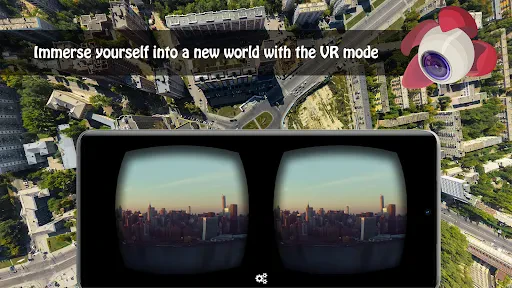
Picture yourself seeing what your drone sees in real time. With Litchi's FPV mode, you get that exact experience. It's genuinely exciting. The live video feed is fluid, and the controls react instantly. It feels as if you're actually flying alongside your drone. This mode is ideal for anyone wanting a more involved and immersive flying session. And believe me, after you've experienced FPV, using the standard controls just doesn't feel the same.
Track Mode: Your Automated Filming Assistant
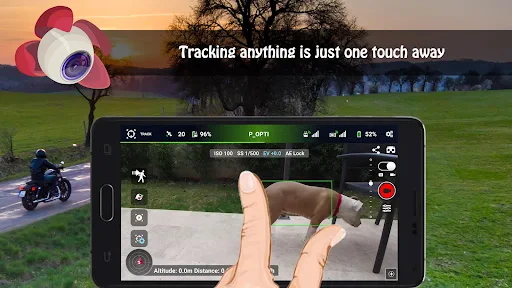
Litchi’s Track Mode works like your own personal camera operator. This clever feature makes the drone automatically follow and film a subject. Whether you're cycling, hiking, or just walking around, the drone records everything hands-free. I tested it during a morning run, and the video I got was fantastic. It's the perfect way to create action-packed videos all by yourself.
Panorama Mode: For Epic Wide Shots
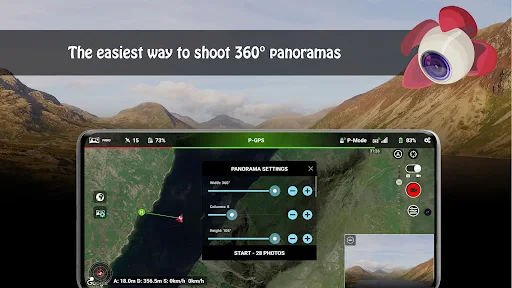
If you enjoy taking vast, sweeping landscape photos, Litchi’s Panorama mode is a total revolution. It automatically combines several pictures into one gorgeous panoramic image. I used it on a recent visit to the mountains, and the outcome was truly stunning. The app manages the whole process of merging the photos smoothly, giving you pro-level panoramas that will wow anyone who sees them.
In summary, Litchi for DJI Drones is a powerful application that significantly improves your flying experience with its wide range of features. From designing accurate flight routes to recording amazing footage, Litchi shows itself to be a priceless resource for both casual users and pros. If you want to unlock the full potential of your DJI drone, trying out Litchi could be one of the smartest moves you make. Happy flying
Advantages
- Intuitive user interface for easy navigation
- Supports multiple DJI drone models
- Advanced waypoint mission planning
- Real-time video feed with low latency
- Offline maps available for planning
Disadvantages
- Requires DJI drone for full functionality
- Some features need in-app purchases
- Limited support for non-DJI drones
- Steep learning curve for beginners
- Occasional connectivity issues
Frequently Asked Questions
Q: What is Litchi for DJI Drones and what features does it offer?
A: Litchi for DJI Drones is a versatile app designed to enhance the flying experience of DJI drone users. It offers features such as waypoint mission planning, orbit mode, follow mode, and VR mode for immersive flying. The app supports various DJI drone models, providing advanced controls and automation capabilities that are not available in the standard DJI app.
Q: Is Litchi for DJI Drones compatible with all DJI drone models?
A: Litchi for DJI Drones is compatible with a wide range of DJI drone models, including the Phantom, Mavic, Spark, and Inspire series. However, it is essential to check the specific compatibility list on the Litchi website or app store listing to ensure your drone model is supported before purchasing or downloading the app.
Q: How does Litchi improve the drone flying experience compared to the DJI Go app?
A: Litchi enhances the drone flying experience by offering advanced features such as waypoint missions, panorama shooting, and VR mode, which are not available in the standard DJI Go app. This allows users to automate complex flight paths, capture stunning aerial photography, and enjoy a more immersive flying experience. Litchi also provides a more user-friendly interface and additional customization options.
Q: Is it necessary to have an internet connection to use Litchi for DJI Drones?
A: While an internet connection is not required for basic flight operations, certain features of Litchi for DJI Drones, such as map loading and software updates, do require internet access. Users are advised to preload maps and ensure their app is updated before heading out to fly in remote areas without internet connectivity.
Q: What is the cost of Litchi for DJI Drones and is it worth the investment?
A: Litchi for DJI Drones is a paid app, with the price varying depending on the platform (iOS or Android). While it requires an upfront investment, many users find it worth the cost due to its extensive features and ability to enhance drone operations significantly. The app is particularly beneficial for advanced drone pilots seeking more control and automation in their flights.
Technical Information
Recommended for You

SkyLock - Lock Screen

Alison: Online Education App

Revolut: Spend, Save, Trade

Skool

Cartoon Video & Gif Maker

Go Program Way2Go Card

KFC US - Ordering App

Simple Calendar

Marriott Bonvoy: Book Hotels

ComEd

Chat Online: Talkie Live

Long John Silver's

GoFan: Buy Tickets to Events

Timestamp Camera, Auto GPS Cam

Cox

The Dyrt: RV & Free Camping

Rain Instant Pay

Themes

Find My Phone: Phone Locator

AnkiDroid Flashcards

OKX: Buy Bitcoin BTC & Crypto

Nova Launcher Prime

Auto Clicker - Auto Tap
