
Stop Motion Studio
Create Amazing Stop Motion Movies Easily
Screenshots
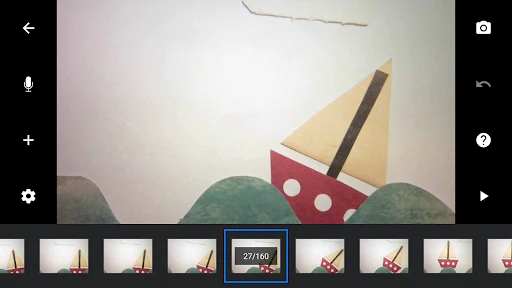
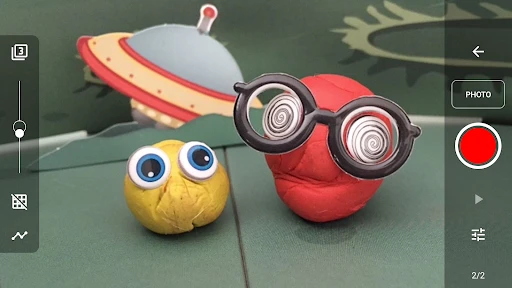
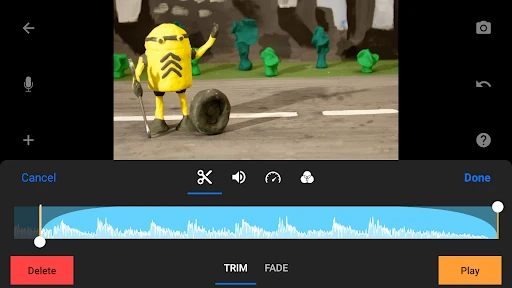
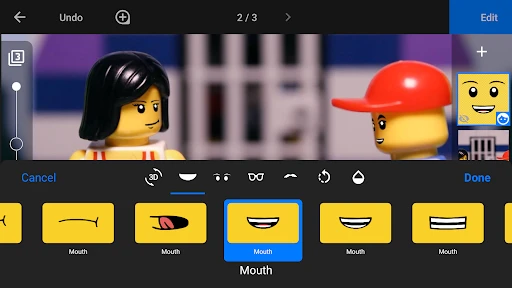
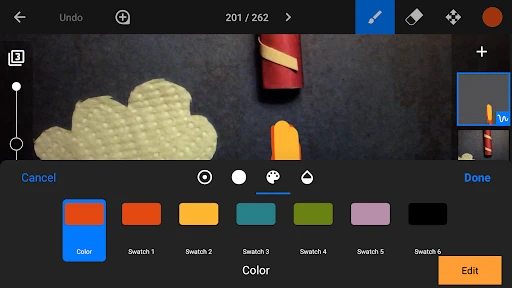
Stop Motion Studio: Bringing Your Creativity to Life
First Look at the App
Have you ever seen a clay animation movie and asked yourself, "How do they make those little characters move?" Well, you can stop wondering! With Stop Motion Studio, you can make your own stop-motion videos straight from your phone. You can get it on both Android and iPhone, and it's great for everyone, whether you're just starting out or you've been animating for years.
Standout Tools You'll Love
What really makes Stop Motion Studio special is all the cool stuff you can do with it. You get tools for editing each frame and a handy guide that shows you your last shot so you can line up the next one perfectly. There's also a grid you can turn on, which is awesome for keeping your scene straight.
My absolute favorite part is being able to drop in sound effects and music right inside the app. This totally changes the game and makes your video feel more alive. You can even put in titles and credits, so it looks like a real movie!
How It Feels to Use
Using Stop Motion Studio is super easy. The app works smoothly without any frustrating delays, which is really important when you're carefully adjusting small movements. All the controls are snappy and made to keep things simple. If you're a beginner, there's a helpful guide built right in to show you the ropes.
Getting your finished video out into the world is also a snap. You can save your videos in different qualities, even super-sharp 4K, and share them directly to places like YouTube or Instagram. It's all about showing off your work with as little fuss as possible.
A Few Areas for Tweaks
Stop Motion Studio is really great, but it isn't perfect. One thing to know is that the free version has some limits. To get all the powerful features, you'll need to get the paid version. But honestly, the price is pretty fair for all the tools and options you unlock.
Another small thing is that it might feel a bit much at the very beginning. Since the app has so many features, someone brand new might feel a little lost at first. But spending a little time to learn your way around is definitely a good investment.
Wrapping It Up
All in all, Stop Motion Studio is an amazing app for anyone who wants to try animation. It's packed with features that basically turn your phone into a pocket-sized movie studio. Whether you're creating a short film or just playing around with some toys, this app is sure to get your creative juices flowing.
So, if you've ever felt like trying your hand at stop-motion, you should definitely check out Stop Motion Studio. Go on, give it a shot—you'll probably surprise yourself with what you can make
Advantages
- User-friendly interface for beginners.
- Comprehensive editing tools available.
- Cross-platform support enhances access.
- Supports 4K resolution for high quality.
- Affordable pricing for premium features.
Disadvantages
- Limited features in free version.
- Occasional app crashes reported.
- In-app purchases can be costly.
- Lacks advanced audio editing tools.
- Exporting can be slow for large files.
Frequently Asked Questions
Q: What platforms is Stop Motion Studio available on?
A: Stop Motion Studio is available on both Android and iOS platforms, making it accessible to a wide range of mobile users. Additionally, there are versions for Mac and Windows, allowing users to create stop motion animations on their computers. This cross-platform availability ensures that you can work on your projects seamlessly across different devices.
Q: Can I use Stop Motion Studio for professional projects?
A: Yes, Stop Motion Studio offers a range of features that make it suitable for both amateur and professional projects. With its high-resolution capabilities, frame-by-frame editing, and advanced camera controls, users can create high-quality animations. Whether you're a hobbyist or a professional animator, this app provides the tools necessary to bring your creative visions to life.
Q: Does Stop Motion Studio offer any tutorials or guides for beginners?
A: Absolutely! Stop Motion Studio includes a variety of tutorials and guides to help beginners get started with animation. These resources cover everything from basic animation principles to advanced techniques, ensuring that users of all skill levels can learn and improve their animation skills. The app's user-friendly interface also makes it easy for newcomers to navigate and create their first stop motion project.
Q: Are there in-app purchases or subscriptions in Stop Motion Studio?
A: While Stop Motion Studio offers a free version with basic features, there are additional in-app purchases available to unlock advanced features. These may include options like sound effects, green screen capabilities, and various editing tools. Users can choose to purchase these individually or through a subscription model, depending on their needs and budget.
Q: What types of animations can I create with Stop Motion Studio?
A: Stop Motion Studio allows users to create a wide variety of animations, including claymation, LEGO animations, and cut-out animations. With its flexible tools and features, you can bring any imaginative concept to life. Whether you're animating toys, drawings, or everyday objects, Stop Motion Studio provides the creative freedom to explore different animation styles and techniques.
Technical Information
Recommended for You

QR Code Reader: QR Code Maker

Allē

Vons Deals & Delivery

Île-de-France Mobilités

Thermometer++ Room Temperature

BeautyPlus-Selfie Film Camera

DHgate-online wholesale stores

Local Now: News, Movies & TV

Mirror App - Beauty Mirror

Legacy Academy – Learn Success

Pose Tool 3D

Qatar Airways

SimpliSafe Home Security App

Trail Boss BMX

Fog of World

Hawaiian Airlines

Fire Wallpaper Theme Lone Wolf

Aeromexico

what3words: Navigation & Maps

Cool Fonts Keyboard & Themes

JetBlue - Book & manage trips

PhotoBoost - AI Photo Enhancer

Music Video Editor - inMelo
