
Shuffles by Pinterest
Creative Collages For Young Visual Designers
Screenshots
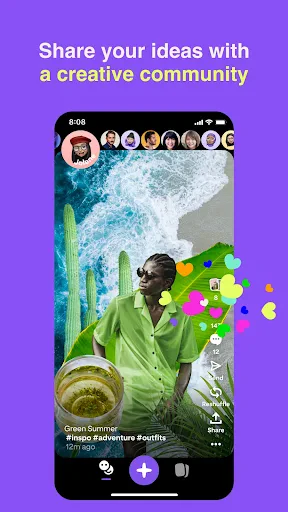
Ever Wondered How to Bring Your Pinterest Pins to Life?
So, what's the deal with Shuffles by Pinterest? Basically, it’s like your personal mood board on steroids. The app allows you to create, well, shuffles - which are dynamic, animated collages. Imagine taking your favorite pins and giving them a breath of fresh air with animations and music. Yes, it’s as cool as it sounds.
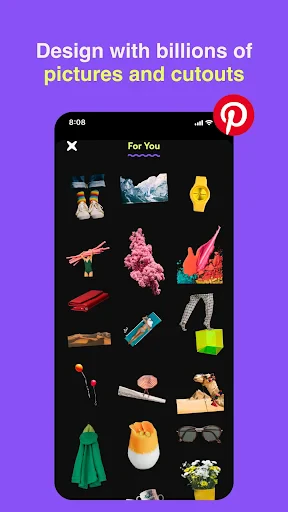
When I first downloaded the app, I was a bit skeptical. I mean, how different could it be from the regular Pinterest experience, right? But boy, was I wrong. The interface is sleek and intuitive, making it super easy to dive right in and start creating. You’re greeted with a vibrant home screen that showcases trending shuffles to get your creative juices flowing.
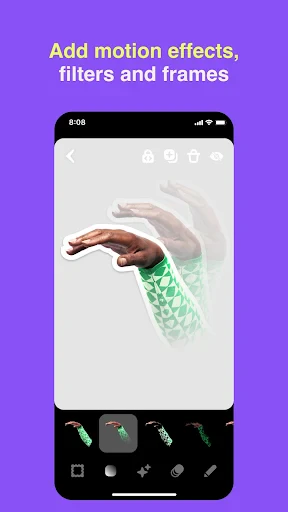
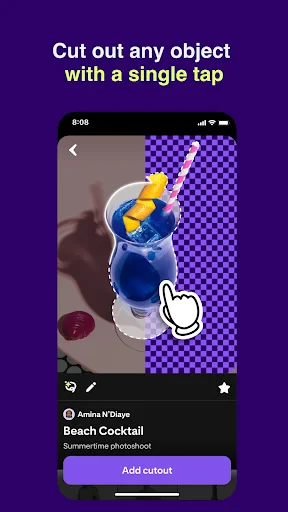
Creating a shuffle is as simple as selecting a few of your favorite pins. The app provides a variety of templates, or you can start from scratch if you’re feeling extra creative. You can mix photos, text, and stickers to craft something uniquely yours. What I love most is the ability to add animations to your collage. It’s like watching your vision come to life, and trust me, it’s incredibly satisfying.
On top of that, the app allows you to add music to your shuffles. Yes, you can create the perfect vibe to match your creation. I found myself lost for hours, tinkering with different combinations of visuals and sounds. It's almost like being a mini director of your own creative masterpiece!
Once you’re happy with your shuffle, sharing it is a breeze. You can send it directly to your friends or post it on social media for the world to see. The app integrates seamlessly with other platforms, making it easy to show off your creative prowess. I shared one of my shuffles on Instagram, and the feedback was amazing. People were genuinely impressed by the creativity and the unique format.
Another cool feature is the community aspect of the app. You can browse through other users’ shuffles, get inspired, and even remix their creations. It’s a fantastic way to connect with other creative minds and keep the inspiration flowing. I’ve discovered so many talented creators through this feature, and it’s genuinely inspiring to see how others interpret their ideas.
Overall, Shuffles by Pinterest is a vibrant playground for anyone who loves to create and share. It’s a refreshing twist on the traditional Pinterest experience, offering more depth and interactivity. Whether you’re an artist, a dreamer, or just looking for a new hobby, this app has something for everyone. So why not give it a try? You might just find yourself hooked on this delightful, creative journey.
In a world where expressing oneself has become more digital, apps like Shuffles are a testament to how technology can enhance creativity rather than stifle it. So go on, unleash your inner artist, and see where your imagination takes you!
Advantages
- Integrates seamlessly with Pinterest.
- User-friendly interface design.
- Offers creative collage tools.
- Strong community sharing features.
- Regular updates and new features.
Disadvantages
- Limited offline functionality.
- May consume significant device memory.
- Requires Pinterest account to use.
- In-app purchases can be pricey.
- Occasional app crashes reported.
Frequently Asked Questions
Q: What is Shuffles by Pinterest and how does it work?
A: Shuffles by Pinterest is a creative tool that allows users to design and personalize digital collages using a variety of images, animations, and effects. It integrates seamlessly with Pinterest, enabling users to pull inspiration and content directly from their boards. With an intuitive drag-and-drop interface, Shuffles empowers users to express their creativity and share their artistic projects with a wider community.
Q: Is Shuffles by Pinterest free to use?
A: Yes, Shuffles by Pinterest is free to download and use, but it may offer optional in-app purchases for premium features or additional content. While the basic functionality is accessible to all users, these extras can enhance the creative experience. Always check the app store for the most current pricing details before downloading.
Q: Can I share my creations from Shuffles by Pinterest on other social media platforms?
A: Absolutely! Shuffles by Pinterest is designed with sharing in mind. Users can easily export their creations and share them across various social media platforms, such as Instagram, Facebook, or Twitter. This feature allows you to showcase your creativity and reach a broader audience, making it an excellent tool for influencers and hobbyists alike.
Q: What are the main features of Shuffles by Pinterest?
A: Shuffles by Pinterest offers a wide array of features including an extensive library of images and animations, customizable templates, and easy-to-use editing tools. Users can create layered collages, add text, and apply filters to enhance their designs. The app also integrates with Pinterest boards, allowing for seamless access to your saved content for a personalized touch.
Q: Is Shuffles by Pinterest suitable for beginners or only for experienced designers?
A: Shuffles by Pinterest is suitable for users of all skill levels. Its user-friendly interface and straightforward tools make it accessible for beginners, while the range of advanced options caters to experienced designers looking for more creative control. It provides a perfect platform for anyone interested in exploring digital design, regardless of their experience level.
Technical Information
Recommended for You

Phone Tracker by Number

Careem: Rides, Food & more

Magnifier & Microscope+ [Cozy]

Dollar General-Digital Coupons

Papa Johns Pizza & Delivery

Daily Horoscope Launcher

Advent Magnificat 2024

FEMA

XBrowser - Mini & Super fast

TickPick - Live Event Tickets

Favor: Texas Food Delivery

StoryGraph

Super.com - Save, Earn, Travel

Meme Maker & Meme Creator

Dynamic View AZ

UFC

DraftKings Pick6: Fantasy Game

Map Chart Mosaic

Crocs

Master Wifi - Password Show

Document Reader & Viewer

invideo AI: Video Generator

Package Tracker - pkge Mobile
