
AirPlay
AirPlay streams media to speakers and TVs
Screenshots
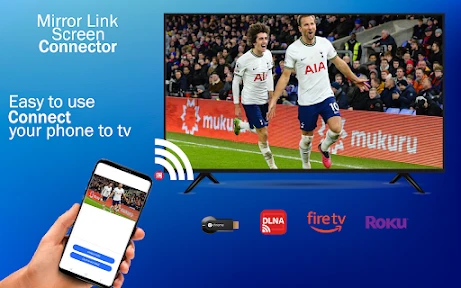
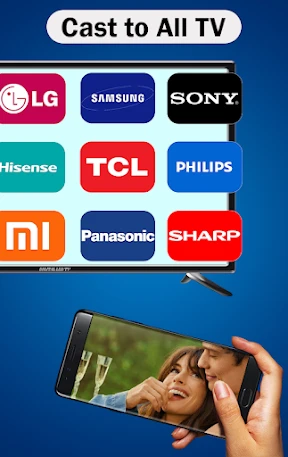


Let's dive right in and talk about AirPlay, Apple's wireless streaming technology that lets you beam your favorite music, videos, and photos from your Apple device to your TV or speakers. As someone who's spent a good chunk of time fiddling with this feature, let me share my thoughts on it.
Getting Your AirPlay Up and Running
First things first, setting up AirPlay is a breeze. All you need is an Apple device that's connected to the same Wi-Fi network as your AirPlay-compatible device. Whether it's an Apple TV, a smart TV, or a speaker, once you're on the same network, you're good to go. You just swipe up or down depending on your iOS version to access the Control Center, tap on the AirPlay icon, and select your device. Voilà, your content is now on the big screen or blasting through your speakers!
The Magic of Smooth Streaming
One of the things I absolutely love about AirPlay is its seamless streaming experience. The quality is top-notch, and there's hardly any lag. I've used it to watch movies, listen to podcasts, and even share photos during family gatherings. It's like having a personal cinema or concert right in your living room. The video quality remains crisp, and the audio? Just as impressive. It really enhances the whole viewing and listening experience.
Fill Your Home with Sound
If you have multiple AirPlay-compatible speakers, you're in for a treat. With AirPlay 2, you can play different songs in different rooms or the same song everywhere. It's like having a personal DJ that caters to everyone's taste in music. I often find myself switching between rooms just to enjoy the different vibes. Whether you want to rock out in the living room or chill with some jazz in the kitchen, AirPlay's got you covered.
What You Need to Know Before Using It
While AirPlay is a fantastic feature, it's worth noting that it's limited to Apple devices. So, if you're an Android user, you're out of luck. However, for Apple enthusiasts, it's a dream come true. The technology is integrated across iOS devices, Macs, and even some third-party devices. The only hiccup I've encountered is with older devices that don't support AirPlay 2, but that's a minor issue considering the overall experience.
Another thing to keep in mind is that AirPlay requires a stable Wi-Fi connection. If your network is spotty, you might experience some hiccups in streaming. But with a solid connection, it's smooth sailing all the way.
Wrapping Up: Why You'll Love AirPlay
In conclusion, if you're an Apple user, AirPlay is definitely a feature you should be using. It enhances your multimedia experience and offers a level of convenience that's hard to beat. Whether you're projecting a presentation, sharing family photos, or just kicking back with some tunes, AirPlay makes it all so much easier and enjoyable. So, if you haven't tried it yet, give it a shot. Trust me, you won't be disappointed.
Advantages
- Seamless integration with Apple devices.
- High-quality audio and video streaming.
- User-friendly and intuitive interface.
- Supports multi-device connectivity.
- Minimal latency during streaming.
Disadvantages
- Limited to Apple ecosystem.
- Requires strong Wi-Fi connection.
- Not available on all devices.
- Can be battery-intensive.
- Occasional connectivity issues.
Frequently Asked Questions
Q: What is AirPlay and how does it work?
A: AirPlay is a wireless streaming feature developed by Apple, allowing users to stream audio, video, and photos from their Apple devices to compatible devices such as Apple TV and smart speakers. It works over Wi-Fi, enabling a seamless connection between devices, ensuring high-quality streaming without the need for physical cables. Users can mirror their devices' screens or stream content directly, making it a versatile tool for entertainment and presentations.
Q: What devices are compatible with AirPlay?
A: AirPlay is compatible with a variety of Apple devices, including iPhones, iPads, and Macs running recent iOS and macOS versions. Additionally, it works with Apple TV and certain smart TVs and speakers that support AirPlay 2. Users should ensure their devices are updated to the latest software versions to enjoy the full capabilities of AirPlay, enhancing the streaming experience across multiple platforms.
Q: Do I need an internet connection to use AirPlay?
A: While AirPlay typically operates over a Wi-Fi network, it does not require an active internet connection to stream content between devices. However, an internet connection is necessary if you're streaming content from online services or using features that require internet access. For local streaming, ensuring your devices are on the same Wi-Fi network is crucial for optimal performance.
Q: Can I use AirPlay with non-Apple devices?
A: AirPlay is primarily designed for Apple products, but some non-Apple devices have built-in AirPlay support, especially those that are AirPlay 2-compatible, such as certain smart TVs and speakers. Additionally, third-party apps and software can sometimes enable AirPlay functionality on non-Apple devices, but the experience might not be as seamless as with native Apple products.
Q: What are the benefits of using AirPlay over other streaming options?
A: AirPlay offers several advantages over other streaming options, including seamless integration with Apple’s ecosystem, high-quality audio and video streaming, and the ability to mirror screens without losing clarity. It also provides multi-room audio capabilities with AirPlay 2, allowing users to play music simultaneously across multiple speakers. This makes AirPlay a preferred choice for users heavily invested in Apple’s ecosystem.
Technical Information
Recommended for You

Asana: Where work connects

Reel Player - Video Player

Drum Pads - Beat Maker Go

Pampers Rewards

Weather Live: Weather Forecast

Weather Complications: Wear OS

WPS Office-PDF,Word,Sheet,PPT

DoorDash: Food, Grocery, More

Yahoo Mail

BlueDriver OBD2 Scan Tool

Number Locator- Call Location

Camouflage Doors Mod for MCPE

Woofz - Puppy and Dog Training

HuntStand: GPS Maps & Tools

Live Wallpaper - Wallpapers 4K

Find My Phone By Clap

Pedi STAT

Beloud: News & Free Speech

imo video calls and chat HD

Plex: Stream Movies & TV

Eurofirms – Ofertas de trabajo

Birthday Invitation Card Maker

EAGLE Security UNLIMITED
