
Aqara Home
Smart Home Control For Modern Households
Screenshots

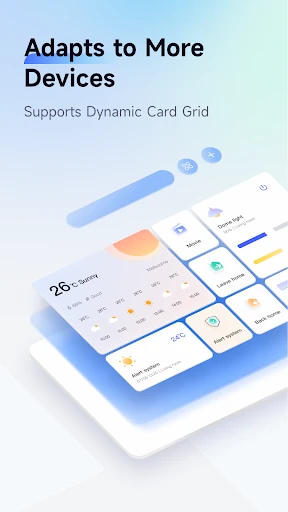
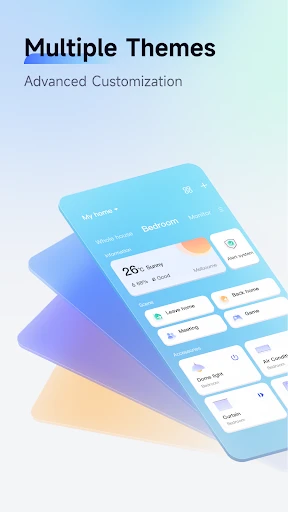


My Aqara Home App Adventure: A User's Honest Take
Hey there, tech enthusiasts! So, I recently got my hands on the Aqara Home app, and let me tell you, it’s been quite the ride. If you're into smart home automation or just curious about how to make your home smarter, then you might want to stick around for this one. Let's dive right into what makes this app tick and whether it's worth a spot on your device.
Getting Started is a Breeze
The first thing I noticed about Aqara Home is how straightforward the setup process is. You download the app, create an account, and you're pretty much ready to start linking your devices. It's designed to work with a plethora of smart devices like lights, sensors, and cameras. And what's cool is that it supports both Android and iOS, so no one's left out in the cold.
It Works With Almost Everything
One of the standout features of the app is its wide compatibility with various smart home devices. Whether you're an Apple fan using HomeKit or you're more into Google Assistant, Aqara Home has got your back. I was able to connect my smart light bulbs and security cameras without a hitch. The app also supports Alexa, so you can literally talk to your house. How futuristic is that?
Navigating the App is Super Simple
Now, let's talk about the user interface. It's clean, intuitive, and doesn’t bombard you with unnecessary information. I found it super easy to navigate through the different sections. Setting up automations is a breeze too. You can create custom scenes for different times of the day, like dimming the lights for movie night or turning on the porch lights when you get home. It’s like having a personal assistant at your fingertips.
Keeping Your Home Safe and Sound
Security is a big deal, and the app doesn’t skimp on it. It offers end-to-end encryption to keep your data safe. Plus, you get notifications for any unusual activities, which is reassuring. I tested it out by setting up a motion detector, and sure enough, I got a ping when it detected movement. It’s these little things that make you feel like your home is truly secure.
The Final Verdict
Alright, time for the million-dollar question: is the Aqara Home app worth downloading? If you're looking to simplify how you manage your smart home devices, then absolutely. It’s user-friendly, secure, and versatile. The app makes it easy to integrate various devices into a cohesive ecosystem. Plus, the ability to control everything from one place is just unbeatable. So, if you’re ready to step into the future of home automation, give Aqara Home a try. You might just wonder how you ever lived without it
Advantages
- User-friendly interface with intuitive controls.
- Extensive device compatibility across brands.
- Customizable automation settings.
- Reliable performance with minimal connectivity issues.
- Regular updates enhance functionality.
Disadvantages
- Initial setup can be time-consuming.
- Limited customer support availability.
- Some features require a premium subscription.
- Occasional app crashes reported by users.
- Not all devices are supported globally.
Frequently Asked Questions
Q: What is Aqara Home and what devices are compatible with it?
A: Aqara Home is a smart home automation app that enables users to control and manage various smart devices within their home. The app is compatible with a wide range of Aqara devices, including sensors, smart plugs, lights, cameras, and more. It also supports integration with other popular smart home ecosystems, such as Apple HomeKit, Google Assistant, and Amazon Alexa, allowing users to create a seamless smart home experience.
Q: How does Aqara Home enhance home security?
A: Aqara Home enhances home security by allowing users to monitor their home environment in real-time through connected cameras and sensors. The app sends instant alerts to the user's phone if any unusual activity is detected, such as motion detection or unexpected door openings. Additionally, users can set automation rules to simulate presence in the home by turning on lights or playing sounds, which can deter potential intruders.
Q: Can Aqara Home be used to automate daily routines?
A: Yes, Aqara Home can be used to automate daily routines through its robust automation features. Users can set up scenarios and automations based on time, location, or specific device triggers. For example, you can create a morning routine where the lights gradually turn on, the thermostat adjusts to a comfortable temperature, and the coffee maker starts brewing, all triggered automatically at a set time.
Q: Is Aqara Home easy to set up and use for beginners?
A: Aqara Home is designed to be user-friendly, making it accessible for beginners and tech enthusiasts alike. The app provides a step-by-step setup guide, and most Aqara devices can be added with just a few taps. The intuitive interface allows users to easily navigate through device settings, automation options, and monitoring features, ensuring a smooth user experience even for those new to smart home technology.
Q: What should I do if I encounter issues with Aqara Home?
A: If you encounter any issues with Aqara Home, there are several steps you can take to resolve them. First, ensure that all your devices are connected to the same network and that your app is up-to-date. The app also provides a comprehensive help section with troubleshooting tips and FAQs. If the problem persists, you can reach out to Aqara's customer support for assistance, or consult user forums for advice from other Aqara users.
Technical Information
Recommended for You

Rachio

MaxClean - Cleaner & Manager

Funny Weather: Rude Forecast

Fahlo Animal Tracker

[KNA008] COMBINE

Contacts

Pro Emulator for Game Consoles

Blinkist: Book Summaries Daily

Christmas Countdown

CL theme V1

Recover Deleted Messages App

Microsoft SharePoint

Church's Texas Chicken®

Messages - Text Messenger App

Screen Recorder: Facecam Audio

foodpanda: food & groceries

LightCut -AI Auto Video Editor

BitTorrent®- Torrent Downloads

Picture Insect: Bug Identifier

Holy Quran - Deeper journey

McDonald's Offers and Delivery

Email: Fast, Manage All Mails

Connecteam Team Management App
