
Remote Control for All TV
Universal Remote Control For All Televisions
Screenshots

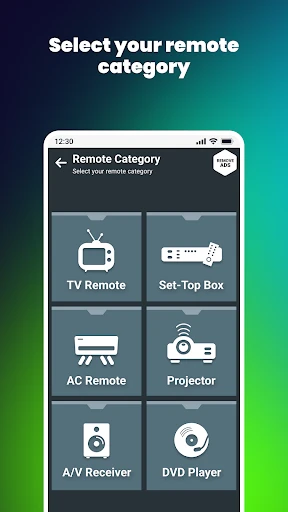
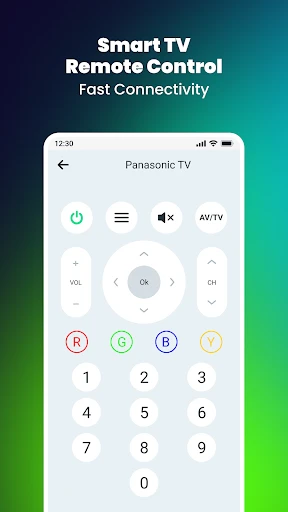


Unleashing the Power of Your Smartphone: Remote Control for All TV
Ever lose the TV remote in the couch, only to find it after you've given up looking? Well, you can stop the search party for good! The Remote Control for All TV app turns your phone into a universal remote, so a lost controller is no longer a problem. Let's check out how this app can upgrade how you watch TV.
Simple Setup for Almost Any TV
The first thing you'll love is how easy it is to get started. No complicated settings or weird Wi-Fi connections to mess with. This app works with a huge list of brands like Samsung, LG, and Sony, so it's a safe bet for most TVs, from older models to the newest 4K screens. It connects to your TV using your phone's infrared blaster or Wi-Fi, making the setup a breeze.
A Clean Look and Easy-to-Use Layout
The app looks great—it's modern and super simple to figure out. The layout is built for ease, with big, clear buttons that feel just like a real remote. Changing the channel, turning the volume up, or opening a streaming app is all just one tap away. And it's quick, too! There's no annoying delay when you press a button on your phone and the TV responds.
Loads of Handy Features
* Works with Everything: Controls almost any TV brand, so it's a single solution for all your devices.
* Make It Your Own: You can customize the remote's layout. Set up shortcuts for the channels or apps you use most.
* Talk to Your TV: Use voice commands through Google Assistant or Alexa for a hands-free experience.
* All Your Apps in One Place: Jump straight into Netflix or other services on your smart TV without needing a different remote.
Dependable Day-to-Day Use
When it comes to how it works, this app is solid. It gives you steady, reliable control without any fuss. The connection stays strong whether you're using IR or Wi-Fi, so you can manage your TV without any drop-offs. The app also gets updated regularly, so any little problems get fixed fast, keeping everything running without a hitch.
Is It Worth It?
In a time when we all want things to be easier, having the Remote Control for All TV app on your phone is a real lifesaver. It makes things simpler, saves you time, and gives you a smooth way to run your television. If you need a remote app that's both reliable and packed with features, you should definitely check this one out. Next time the physical remote goes missing, just grab your phone—it's like having magic right in your hand!
So, that's the lowdown. It's a smart fix for anyone who loves their TV. Why not download it and see how it works for you?
Advantages
- Easy setup and connection process.
- Supports a wide range of TV brands.
- User-friendly interface design.
- Fast response time for commands.
- Free to download with no hidden fees.
Disadvantages
- Contains ads during usage.
- Limited functionality for older TV models.
- Requires stable Wi-Fi connection.
- Occasional app crashes reported.
- No support for voice commands.
Frequently Asked Questions
Q: What is Remote Control for All TV and how does it work?
A: Remote Control for All TV is an application designed to turn your smartphone into a universal remote control for various television brands and models. It works by using either the built-in infrared (IR) feature of your phone or your Wi-Fi network to connect to your TV. Once connected, you can control your television’s volume, channels, and other settings directly from your smartphone.
Q: Is Remote Control for All TV compatible with my television brand?
A: Remote Control for All TV is compatible with a wide range of television brands, including popular ones like Samsung, LG, Sony, Panasonic, and more. However, compatibility may vary depending on the specific model of your TV. It's recommended to check the app's compatibility list or try the app to ensure it works with your television.
Q: Do I need an internet connection to use Remote Control for All TV?
A: An internet connection is not always necessary to use Remote Control for All TV if your smartphone has an infrared (IR) blaster. However, if you are connecting via Wi-Fi, an internet connection will be required to pair your phone with the TV. Either way, ensure both devices are on the same network for optimal performance.
Q: Are there any costs associated with using Remote Control for All TV?
A: Remote Control for All TV is generally free to download and use, but it may offer in-app purchases or contain ads. These purchases could unlock additional features or remove ads for a better user experience. Always check the app's listing on the Google Play Store or Apple App Store for detailed information on any costs associated.
Q: How do I set up Remote Control for All TV on my device?
A: Setting up Remote Control for All TV is straightforward. First, download and install the app from the Google Play Store or Apple App Store. Open the app and follow the on-screen instructions to connect it to your TV. This may involve selecting your TV brand, scanning for devices on your network, or manually entering details. Ensure your smartphone and TV are on the same Wi-Fi network if using a Wi-Fi connection.
Technical Information
Recommended for You

Sony | Music Center

NPR

Key Attestation Demo

Church's Texas Chicken®

Tim Hortons

Familo: Find My Phone Locator

My Aurora Forecast & Alerts

Christmas Spirit - Animated

Chatspin Random Video Chat Duo

PictureThis - Plant Identifier

Bazaart AI Photo Editor Design

Picture Mushroom - Mushroom ID

Mobile Passport Control

Bank of America Mobile Banking

Edits, an Instagram app

CryptoWatch

Retake AI: Face & Photo Editor

Ficbook: Read Fictions Anytime

MiniCraft Pocket Edition Game

PulsePoint Respond

iHeartRadio for Google TV

Contraction Timer & Counter 9m

Pregnancy App
