
myColorado
Official Colorado Digital ID And State Services
Screenshots
Your Digital Assistant: The myColorado App
Have you ever found yourself digging through a messy pile of papers, desperately trying to find your ID or insurance card? If you're a Colorado resident, those frustrating days could be a thing of the past, all thanks to the myColorado app. I was pretty excited to discover this handy tool that aims to keep all your important documents together in one digital spot. But does it really deliver on its promise? Let’s take a closer look and find out.
Your Pocket-Sized ID and More
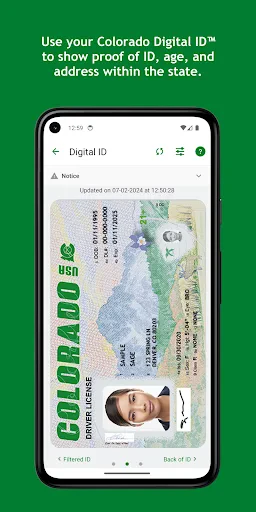
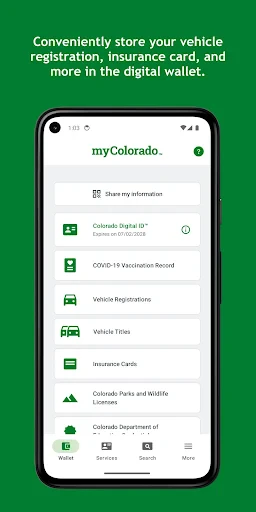
Fundamentally, myColorado acts like a digital wallet where you can safely keep your Colorado Digital ID™. It’s an official state application, approved through all the right government channels, so you know it's legitimate and not just some random download. This is super helpful for those times you run out the door and realize you’ve left your physical wallet behind. With just a few taps on your phone, you can show your ID and carry on with your day.
Making Daily Life a Breeze
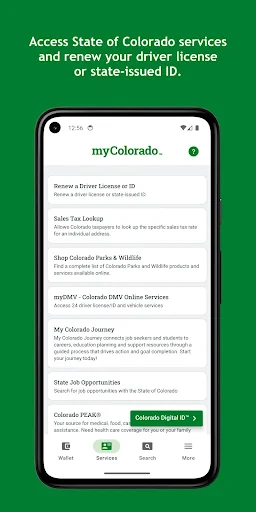
Beyond just holding your ID, the app does a lot more by letting you store your vehicle registration and insurance info. No more frantic searches in your glove box during a traffic stop. The app also gives you a direct link to Colorado's state services. You can renew your driver's license, your vehicle registration, and even update your voter details right from your phone. It’s basically like having a DMV office right in your pocket—but without the endless waiting and stale magazines.
How Easy Is It to Use?
The app’s design is simple and clear, which is a big plus. Nobody wants to deal with a confusing layout when they’re in a rush. It’s user-friendly and easy to figure out, even for people who aren't super comfortable with technology. The myColorado app works on both Android and iOS phones, so almost everyone can use it. The whole experience is smooth, and I’d even say it’s kind of enjoyable to use.
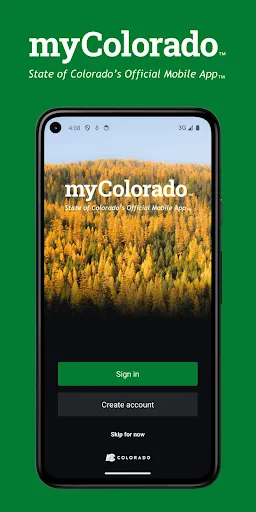
Getting your account set up is a simple process. You just download the app, confirm your identity with a few quick steps, and you’re all set. In just a few minutes, I had my digital ID loaded and ready for whenever I needed it.
Keeping Your Information Safe
I get it, your first question is probably—is this secure? The app uses high-level encryption to protect your personal data. You can also add an extra security step by locking the app with a password or your fingerprint or face ID. In a time when it seems like data leaks are everywhere, these safety features offer some real reassurance.
That said, it's good to remember that while the app is very secure, nothing is ever completely invulnerable. It’s always smart to be cautious and make sure your phone itself is protected with a passcode. A little bit of care can make a big difference.
All in all, the myColorado app is a fantastic, all-in-one tool that makes things easier for people living in Colorado. From the sheer convenience of a digital ID to the simplicity of handling state services online, it provides a modern fix for everyday annoyances. So, if you're someone who loves anything that simplifies your routine, you should definitely check this app out. You might just end up asking yourself how you managed before it.
Advantages
- User-friendly interface
- Secure digital ID storage
- Access to state services
- Customizable notifications
- Integrated with other apps
Disadvantages
- Limited to Colorado residents
- Requires internet connection
- Some features need improvement
- Occasional app crashes
- Registration can be complex
Frequently Asked Questions
Q: What is myColorado and what are its main features?
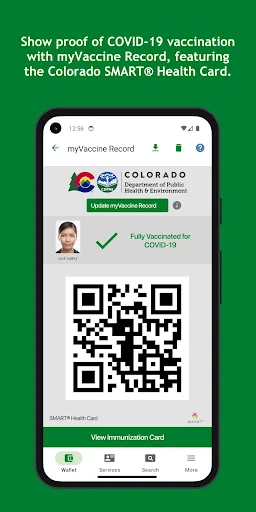
A: myColorado is the official mobile app of the State of Colorado that offers residents a convenient way to access state services. The app's main features include a digital ID, a secure way to store vehicle registrations, COVID-19 exposure notifications, and direct access to state services and resources, all aimed at streamlining interactions with Colorado government entities.
Q: How do I use the myColorado app to access my digital ID?
A: To use the myColorado app for your digital ID, you need to download the app and set up an account with your Colorado driver's license or state ID. Once your identity is verified, you can access your digital ID, which functions like a physical ID for identification purposes within Colorado, ensuring you always have your ID handy on your smartphone.
Q: Is my personal data safe with the myColorado app?
A: Yes, the myColorado app employs advanced security measures to protect your personal information. It uses encryption and secure authentication to ensure that your data, including your digital ID and other personal details, are protected from unauthorized access. The app is designed to comply with state and federal privacy laws, ensuring users' privacy and data security.
Q: Can I renew my driver's license through the myColorado app?
A: Yes, the myColorado app provides a feature that allows you to renew your driver's license online. By following the app's step-by-step process, users can quickly and efficiently renew their licenses, saving time and eliminating the need for a physical visit to the DMV. This feature is part of the app's goal to provide convenient access to government services.
Q: What should I do if I encounter technical issues with the myColorado app?
A: If you experience technical issues with the myColorado app, you should first check for updates to ensure you are using the latest version. If issues persist, the app offers support through its help section, where you can find troubleshooting tips or contact customer support for further assistance. Ensuring a smooth user experience is a priority for the app developers.
Technical Information
Recommended for You

Offline Mp3 Player- uBand

Microsoft SwiftKey AI Keyboard

Express Scripts

Microsoft OneNote: Save Notes

ModeSens

Fishbox - Fishing Forecast App

Zipper Lock Wallpapers Screen

Xbox

EMT PASS- NEW

Bandsintown Concerts

Ballistic X

Blood Donor

Microsoft Copilot

DeepL Translate

DJ Mixer - DJ Music Remix

Black Magic

B612 AI Photo&Video Editor

Clay Box

Tarot Insight

AndroPods - Airpods on Android

Local News: Breaking & Latest

FestAI: Ghost Detector App

Lyft Driver
