
Genius Scan - PDF Scanner
Smart PDF Scanner For Mobile Document Digitization
Screenshots
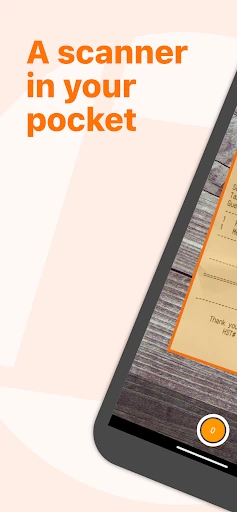
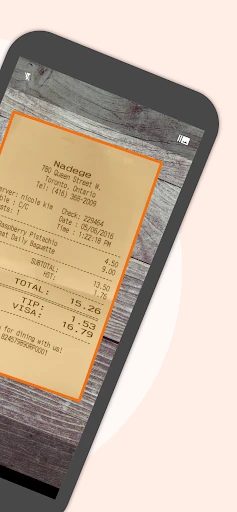
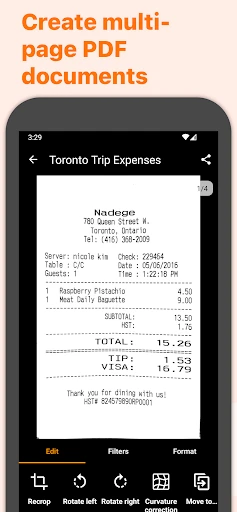
Ever found yourself drowning in a sea of paperwork and wishing there was a magical wand to turn all those papers into digital files instantly? Enter Genius Scan - PDF Scanner, the app that promises to declutter your life by transforming your physical documents into shareable PDFs in just a few taps.
From the moment I downloaded Genius Scan, I was hooked. The interface is super user-friendly, and even if you're not tech-savvy, you'll feel right at home. You simply point your phone's camera at a document, and voilà, it's scanned! The app automatically detects the edges of the document, crops it, and enhances the colors, making the text crisp and clear. No more blurry or skewed scans—hallelujah!
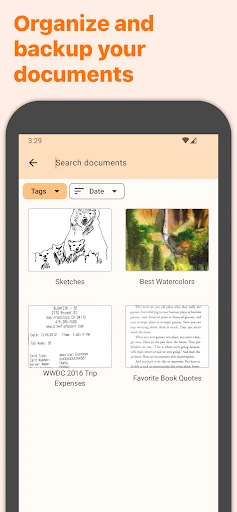
One of my favorite features is the ability to organize scans into different folders. Whether it's receipts, contracts, or notes, you can categorize everything neatly. Plus, with the tagging feature, finding a specific document is a breeze. Just type in a keyword, and the app does the heavy lifting for you.
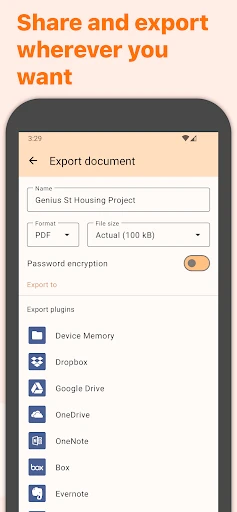
Sharing documents has never been easier. With Genius Scan, you can email your scans as PDFs or JPEGs, export them to cloud services like Dropbox, Google Drive, or Evernote, and even print directly from your phone. It's like having a portable scanner and filing cabinet all in one.
The sync feature is a lifesaver. If you're someone who hops between multiple devices, you'll appreciate that your scans are always within reach, thanks to the seamless synchronization across devices.
In today's world, security is paramount, and Genius Scan gets it. The app allows you to protect sensitive documents with a passcode, and if you've got an iPhone, you can use Face ID or Touch ID. It's like having a security guard for your personal information.
All in all, Genius Scan - PDF Scanner is a powerhouse of an app that beautifully balances functionality and simplicity. Whether you're a student, a professional, or just someone who wants to keep their paperwork in check, this app is worth every penny. So, if you're ready to say goodbye to paper clutter and hello to digital organization, give Genius Scan a whirl. Trust me, your inner neat freak will thank you!
Advantages
- High-quality scan output.
- User-friendly interface.
- Batch scanning feature.
- Supports cloud storage integration.
- Fast processing speed.
Disadvantages
- Limited free version features.
- Occasional ad pop-ups.
- Requires camera access.
- Some features need internet.
- Paid version for premium features.
Frequently Asked Questions
Q: What is Genius Scan and how does it work?
A: Genius Scan is a mobile application designed to help users quickly and efficiently scan documents using their smartphone's camera. The app uses advanced image processing technology to enhance the scanned documents, automatically detecting and cropping the edges of the paper. Users can then save these scans as PDF files or share them through various platforms, making it an ideal tool for those needing to digitize and organize their paperwork on-the-go.
Q: Is Genius Scan available for both Android and iOS devices?
A: Yes, Genius Scan is available for both Android and iOS platforms. Users can download the app from the Google Play Store for Android devices and the Apple App Store for iOS devices. The app is compatible with a wide range of devices, ensuring most users can access its features regardless of their smartphone's operating system.
Q: Does Genius Scan offer cloud storage integration?
A: Genius Scan offers seamless integration with various cloud storage services. Users can easily save and back up their scanned documents to popular services like Google Drive, Dropbox, and OneDrive. This feature ensures that users can access their documents from multiple devices and locations, providing flexibility and convenience for managing important paperwork.
Q: What are the security features provided by Genius Scan?
A: Genius Scan prioritizes user security by offering features such as password protection for PDF files and Touch ID or Face ID authentication for accessing the app. These features help keep sensitive documents secure, ensuring that only authorized users can view or share the scanned files. Additionally, the app ensures that scanned documents are not stored on third-party servers, maintaining user privacy.
Q: Is there a cost associated with using Genius Scan?
A: Genius Scan offers a free version with essential features, allowing users to scan documents and save them as PDFs. For those seeking advanced features such as batch scanning, cloud export options, and enhanced security measures, a premium version is available through in-app purchases. This tiered pricing structure ensures that users can choose a plan that best fits their needs and budget.
Technical Information
Recommended for You

N6_Theme for Car Launcher app

Surfshark: Secure VPN service

Diary Pro - Diary With Lock

Journal: Notes, Planner, PDFs

Mini Piano Lite

Marriott Bonvoy: Book Hotels

[KNA003] SHADOW

TapRead - Romance Stories

Radar GO-X: HUD, GPS, Maps

Shopify - Your Ecommerce Store

PhotoPills

Fanatics: Shop NFL, NBA & More

FotMob - Soccer Live Scores

Wireless charge Phone to Phone

MBTA mTicket

iNaturalist

AI Photo Editor - Polish

Daniel Tiger: Play at Home

Starbucks México

Credit Sesame: Grow your score

تدارس القرآن

All Video Downloader & Player

Messages: SMS Messaging
